

Windows desktop + command line

Compare SQL Server.
Deploy the difference.

Compare SQL Server schemas, server configuration and data. Generate the deployment script.

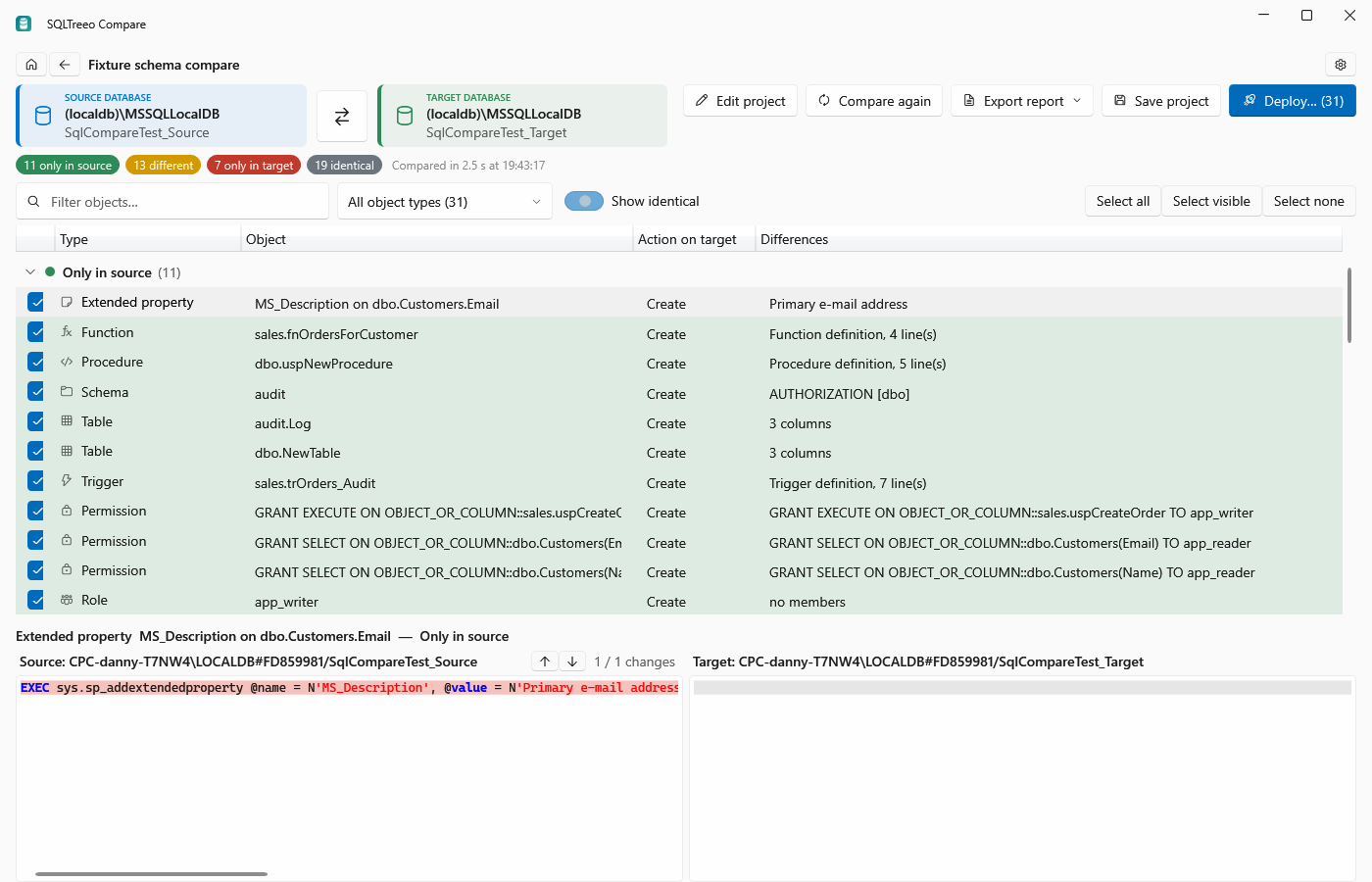
SQLTreeo Compare results page with a side-by-side script diff
Three comparisons, one tool

Schema, server and data

Pick the comparison, set the source and target, press Compare. Results are grouped by Only in source, Different, Only in target and Identical, with a side-by-side script diff for every object.

Schema compare

Tables, columns, indexes, constraints, views, procedures, functions, triggers, sequences, synonyms, user-defined types, users, roles, permissions and extended properties.

Generates a deployment script from source to target and can run it against the target inside a transaction.

Server compare for DBAs

Server properties, sp_configure, trace flags, logins, server roles and permissions, credentials, linked servers, endpoints, server triggers, audits, database options and files, SQL Server Agent, Database Mail, Resource Governor and Extended Events.

Generates a configuration script that applies the source settings to the target.

Data compare

Row-by-row comparison of matching tables using primary or unique keys. Include or exclude tables and columns with wildcards.

Ideal for reference data and configuration tables that drift between environments.

No database contents, connection details, passwords, scripts or comparison results are ever transmitted to SQLTreeo. Everything stays on your computer.
Side-by-side script diff in SQLTreeo Compare

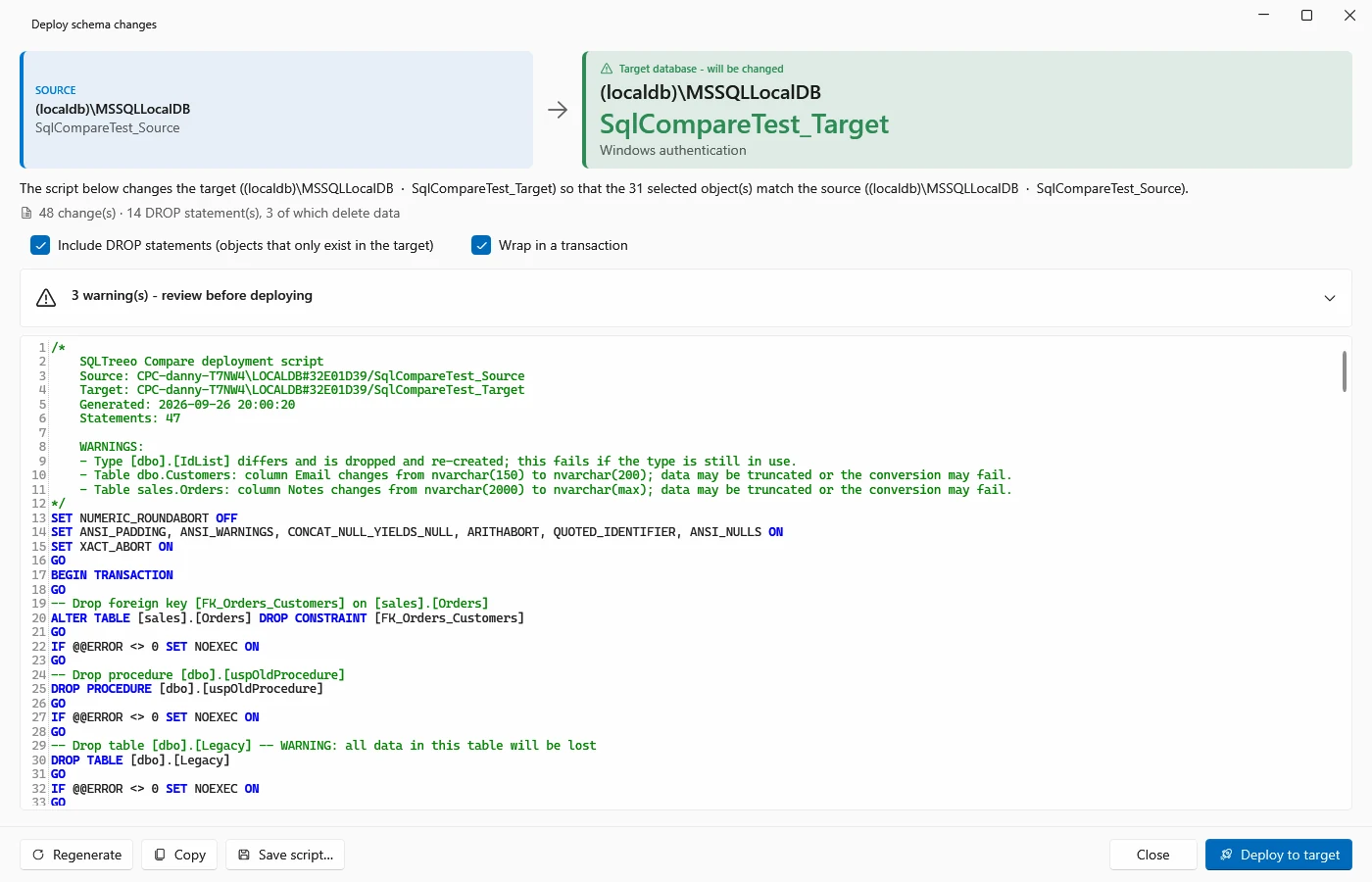
Review every difference before you deploy

Select an object to see its property differences and a side-by-side script diff. Filter by text or object type, and keep the current group pinned while you scroll.

The deployment script is analysed for DROP and data-loss statements and for steps that need manual work, such as passwords, before anything runs.

sqlcompare schema ^
  --source "Server=dev;Database=Shop;Integrated Security=true" ^
  --target "Server=test;Database=Shop;Integrated Security=true" ^
  --script deploy.sql --format html --output report.html

# exit code 0: no differences, 1: differences found, 2: error

Built for pipelines

The sqlcompare command line runs the same engine without the UI. Compare schema, server or data, write an HTML, JSON or text report, generate the script or deploy it straight from CI.

Command line reference
SQLTreeo Compare project page with source and target connections

Projects, connections and updates handled

Projects store connections, options and selections. Windows, SQL Server and Microsoft Entra ID authentication are supported. Passwords are saved only when you ask and are encrypted for your Windows account.

The desktop app checks for updates and installs them with one click.

Requirements

Runs on Windows, talks to any SQL Server

Desktop

Windows 10 or 11. The installer is per user and needs no administrator rights.

Targets

SQL Server 2016 and later, Azure SQL Database and Azure SQL Managed Instance. Server-level sections that do not exist on a platform are reported as warnings.

Command line

Self-contained win-x64 build for build servers and agents. Supply connections as arguments or through environment variables.

Pricing plan

Try it free for 30 days

Free trial

Free
30 days, every feature
  • Starts automatically on first launch
  • Schema, server and data compare
  • Comparing stays free after the trial
Download

Named User license

$99
per named user, for 1 year
  • Deploying, scripting and exporting reports
  • One person, up to three computers
  • Schema, server and data compare in one license
  • All updates during the term
  • Support
  • Build or CI servers need a key per server; contact us
Buy now

Ready to compare?

Download SQLTreeo Compare, open it and pick a comparison. The trial starts on first launch and covers every feature.

By installing SQLTreeo Compare you accept the end-user license agreement.