

Getting started with SQLTreeo Compare
Install SQLTreeo Compare, run your first schema comparison and generate a deployment script.
Install
- Download the installer from the downloads page and run it. SQLTreeo Compare installs per user, so no administrator rights are needed. A portable zip and a single exe (
SqlCompare.exe) are available as well. You can also install it from the Microsoft Store; it is the same installer. - Start SQLTreeo Compare. The first start creates a 30-day trial on the computer. Every feature is available during the trial; afterwards comparing and viewing stay free, see Trial and licensing.
- The application checks for updates at startup and periodically while it runs. Updates install with one click. You can switch the automatic check off under Settings.
Requirements: Windows 10 or 11. Target servers: SQL Server 2016 and later, Azure SQL Database and Azure SQL Managed Instance.
Your first comparison
-
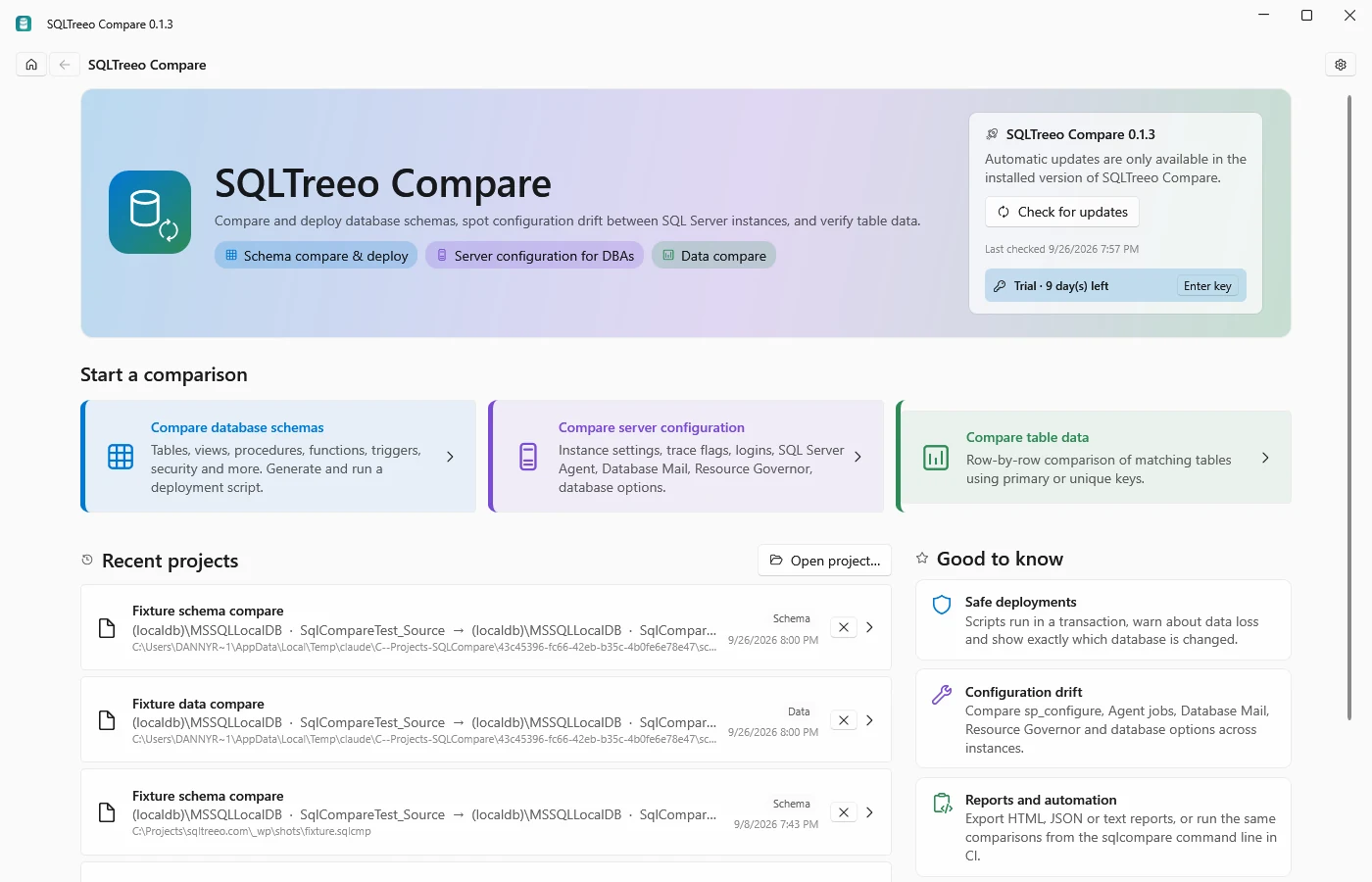
Start page: choose schema, server or data comparison, or open a recent project.
-
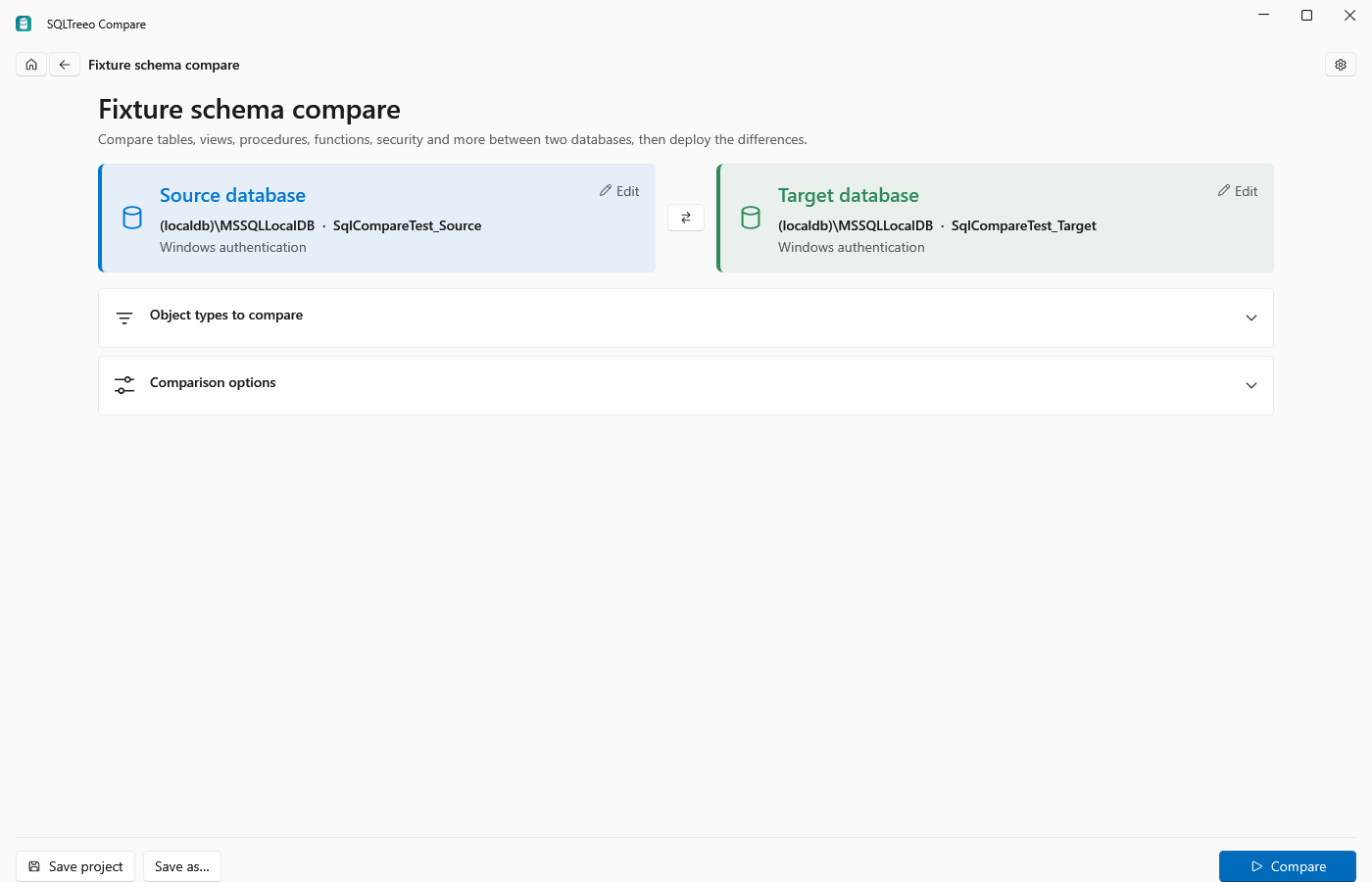
Project page: click the source and target tiles to set the connections. Windows, SQL Server and Microsoft Entra ID authentication are supported. Pick the object types and options you want, then press Compare.
-
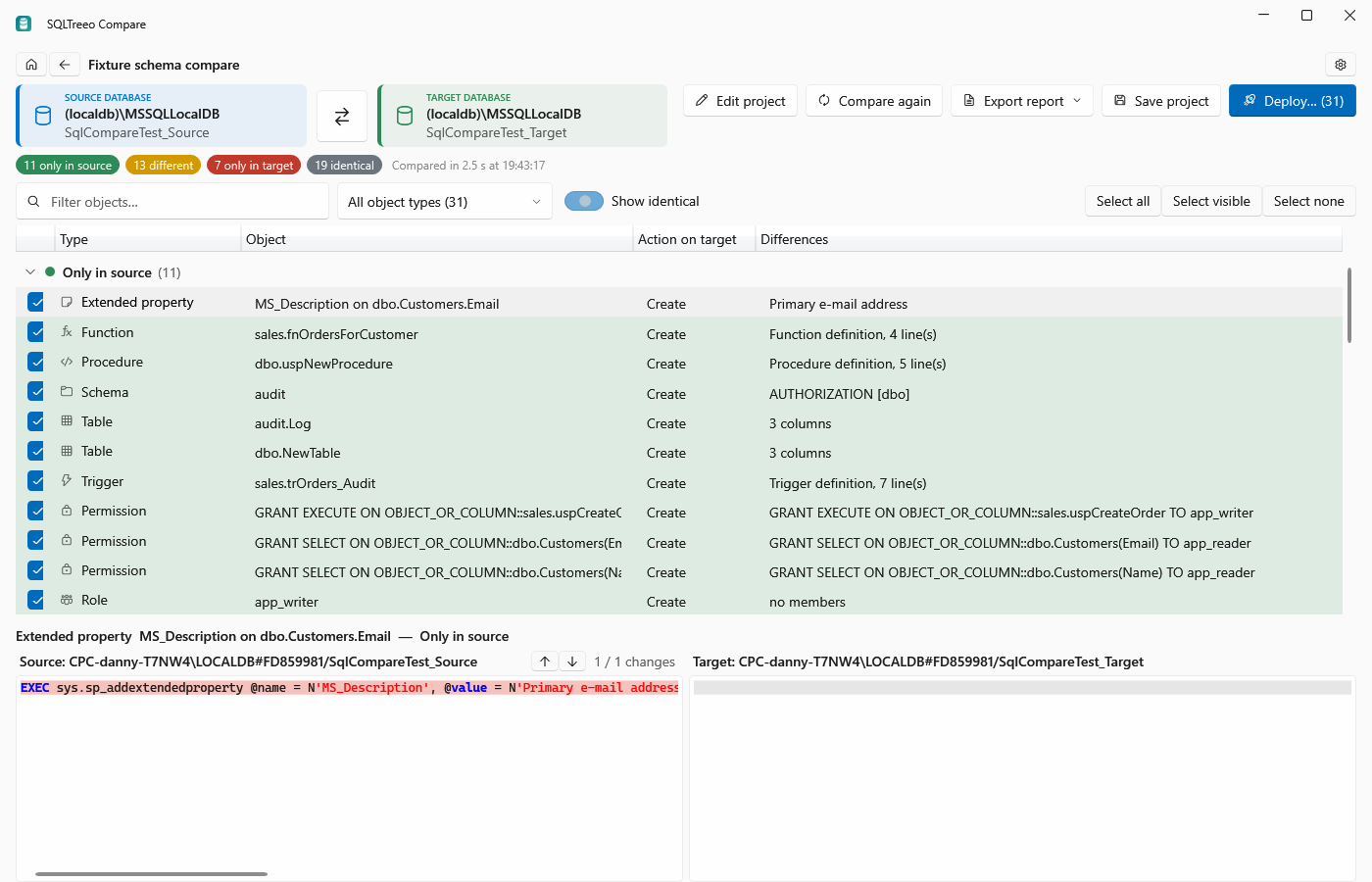
Results page: objects are grouped by Only in source, Different, Only in target and Identical. Groups collapse, and the current group stays pinned while you scroll. Select an object to see its property differences and a side-by-side script diff. Filter by text or by object type.
-
Deploy… (schema) or Script… (server) generates the script for the selected differences. Warnings show data loss and manual steps such as passwords. Run the script against the target inside a transaction, or save it as a
.sqlfile.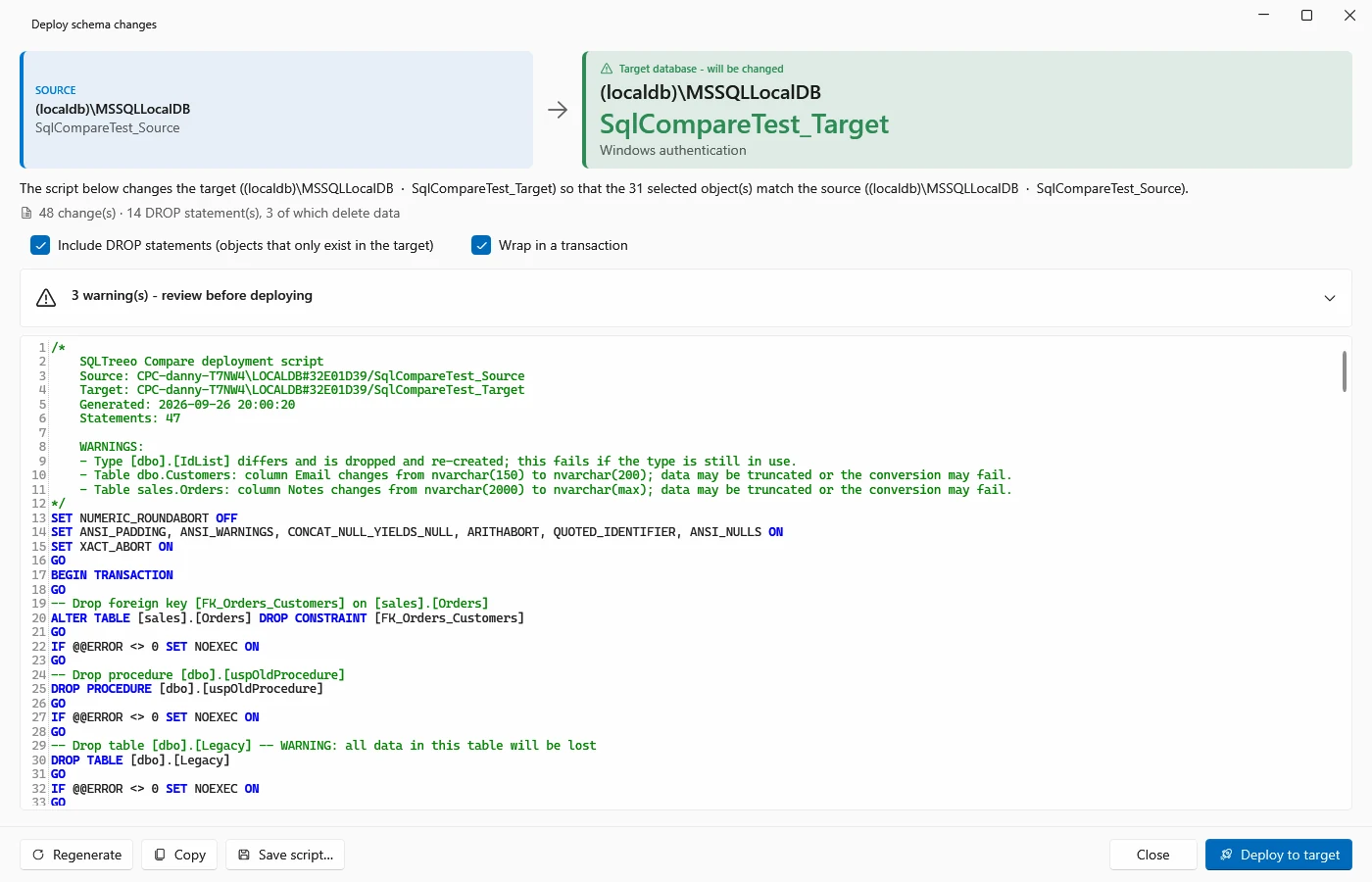
Projects
Projects (.sqlcmp files) store connections, options and selections, so a comparison you run every week is one click away. Passwords are only saved when you ask for it, and are encrypted with Windows Data Protection for your user account.
No database contents, connection details, passwords, scripts or comparison results are ever sent to SQLTreeo. Only the license check and the update check contact the internet, and both can be inspected in the license agreement.
Next steps
- How to compare two SQL Server databases, step by step.
- Compare table data and compare the configuration of two instances.
- Command line and schema drift checks for CI pipelines.
- Licensing to activate a purchased key.
- SQLTreeo Compare compared with Redgate, dbForge, SQL Delta, ApexSQL and SSDT, if you are choosing a tool.
- Diagnostics when something does not work as expected.