
How to compare two SQL Server databases
Find every schema difference between two SQL Server databases: tables, columns, indexes, procedures and permissions. A T-SQL check and the full comparison.
Development moved on, a hotfix went straight to production, or a release did not reach every environment. To find out, you compare the schema of two databases: which objects exist on one side only, and which exist on both sides but are defined differently.
This article shows a quick check in plain T-SQL and then the complete comparison with SQLTreeo Compare, including the script that brings the target in line with the source.
A quick check in T-SQL
When both databases are on the same instance, EXCEPT on the catalog views lists the objects that exist in one database and not in the other:
SELECT s.name AS schema_name, o.name AS object_name, o.type_desc
FROM DevDb.sys.objects o
JOIN DevDb.sys.schemas s ON s.schema_id = o.schema_id
WHERE o.is_ms_shipped = 0
EXCEPT
SELECT s.name, o.name, o.type_desc
FROM TestDb.sys.objects o
JOIN TestDb.sys.schemas s ON s.schema_id = o.schema_id
WHERE o.is_ms_shipped = 0;
The same idea finds columns that are missing or differ in type, length or nullability:
SELECT TABLE_SCHEMA, TABLE_NAME, COLUMN_NAME, DATA_TYPE, CHARACTER_MAXIMUM_LENGTH, IS_NULLABLE
FROM DevDb.INFORMATION_SCHEMA.COLUMNS
EXCEPT
SELECT TABLE_SCHEMA, TABLE_NAME, COLUMN_NAME, DATA_TYPE, CHARACTER_MAXIMUM_LENGTH, IS_NULLABLE
FROM TestDb.INFORMATION_SCHEMA.COLUMNS;
This is fine for a first impression. It has limits:
- Each query looks in one direction. Swap the databases and run it again for the other direction.
- It works across servers only through a linked server, and both databases need the same collation. Otherwise
EXCEPTraises a collation conflict. - Changed procedures, views, functions, triggers and constraints are not found, and neither are indexes, permissions or extended properties, unless you write a query for each. Constraints that SQL Server named itself show up as differences, because their generated names differ.
- It tells you what differs. It does not give you the script to fix it.
The complete comparison with SQLTreeo Compare
-
Start SQLTreeo Compare and choose Compare database schemas on the start page.
-
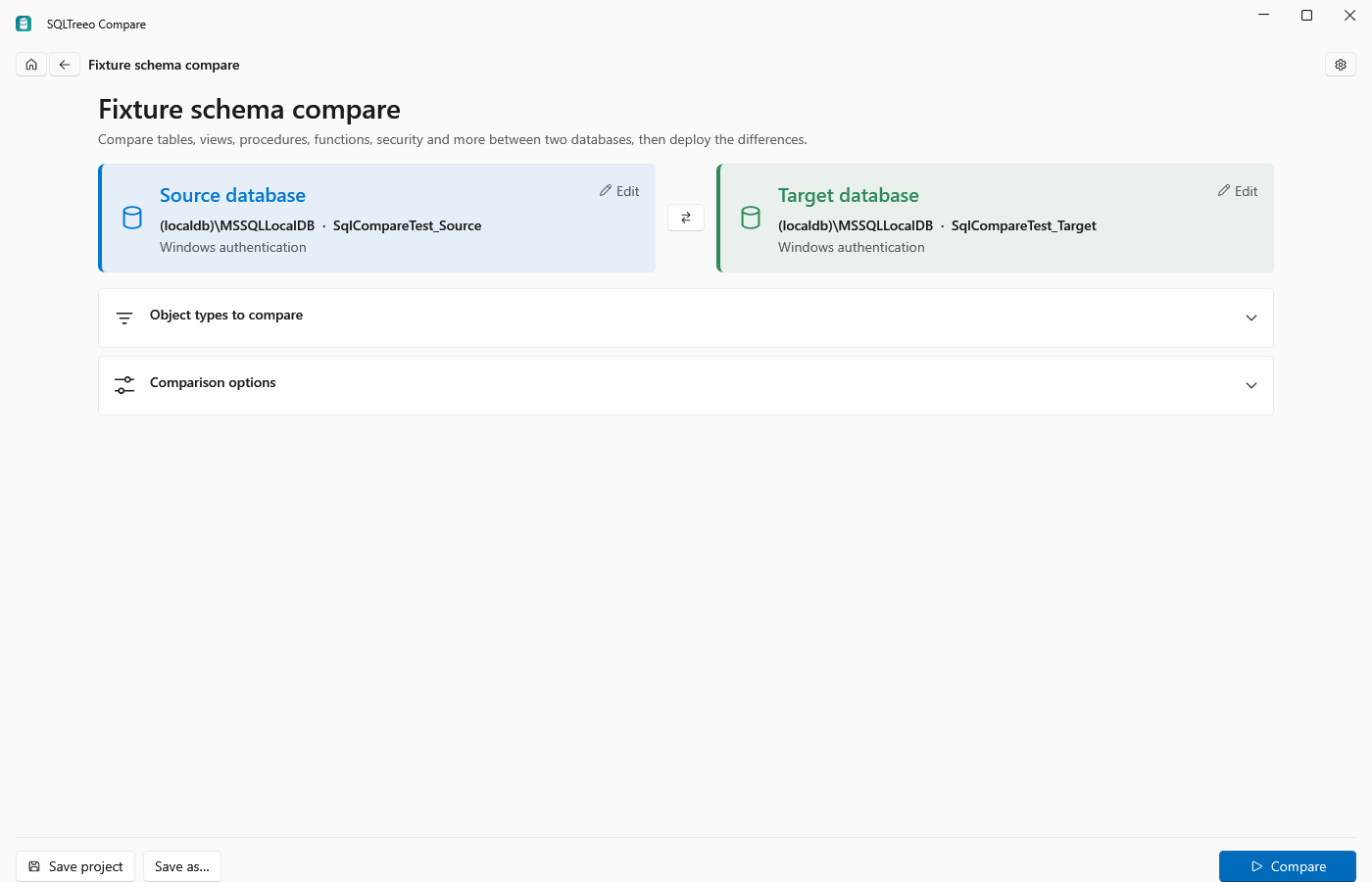
Click the Source database tile and pick the server and database that has the definitions you want. Click the Target database tile and pick the database that should become the same. The databases can be on different servers; no linked server is needed. A new comparison starts with the connections you used last.
-
Press Compare. Both databases are read at the same time.
-
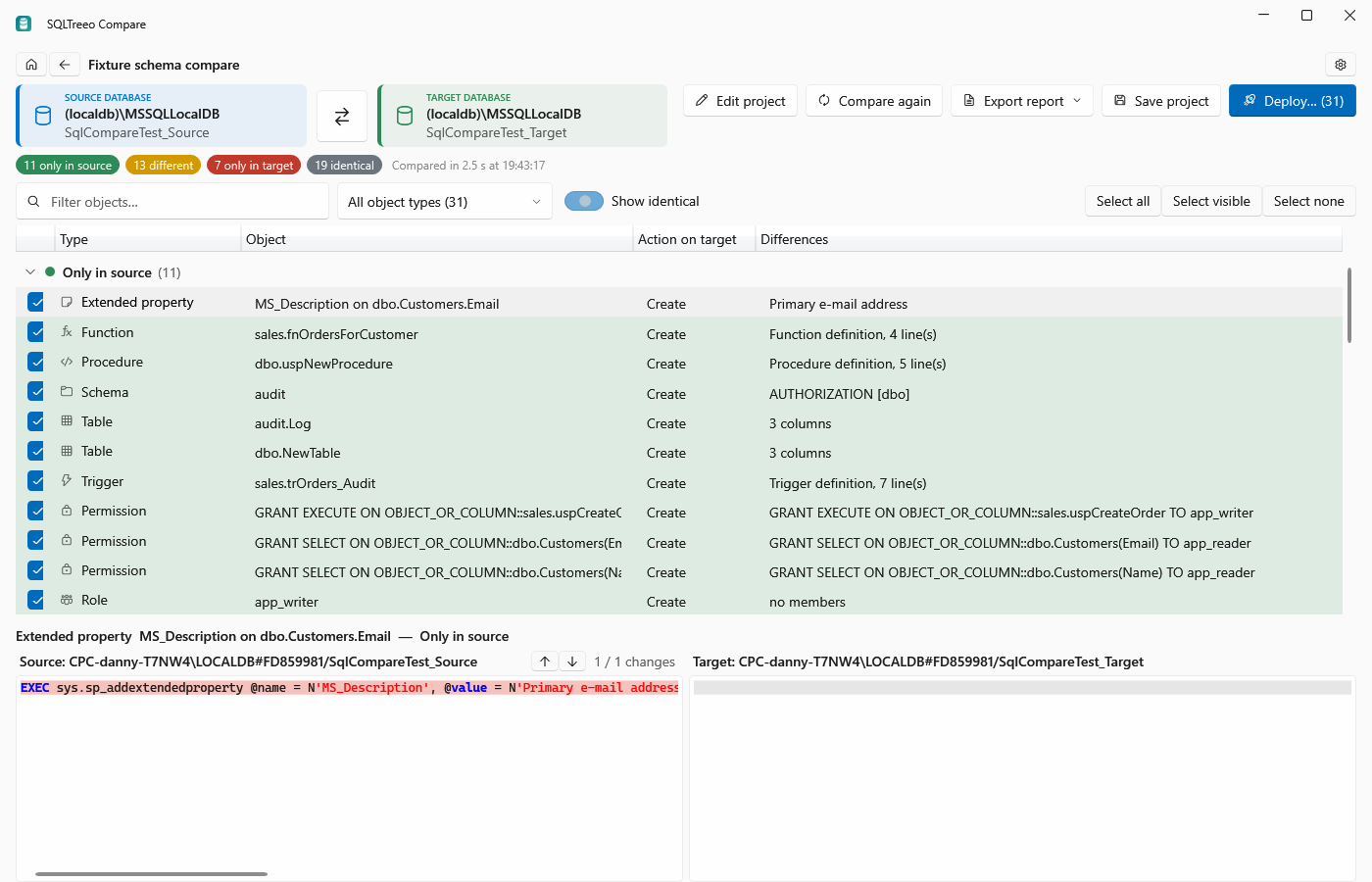
The results are grouped by Only in source, Different, Only in target and Identical. Select an object to see which properties differ and a side-by-side diff of the two scripts. Click a coloured count at the top to hide or show its group, or filter by text and object type. Identical objects are hidden until you click their grey count.
-
All differences are ticked. Untick what you do not want to bring over and press Deploy…. The script changes the target so that the ticked objects match the source. Before anything runs you see the number of changes, the DROP statements and the statements that delete data.
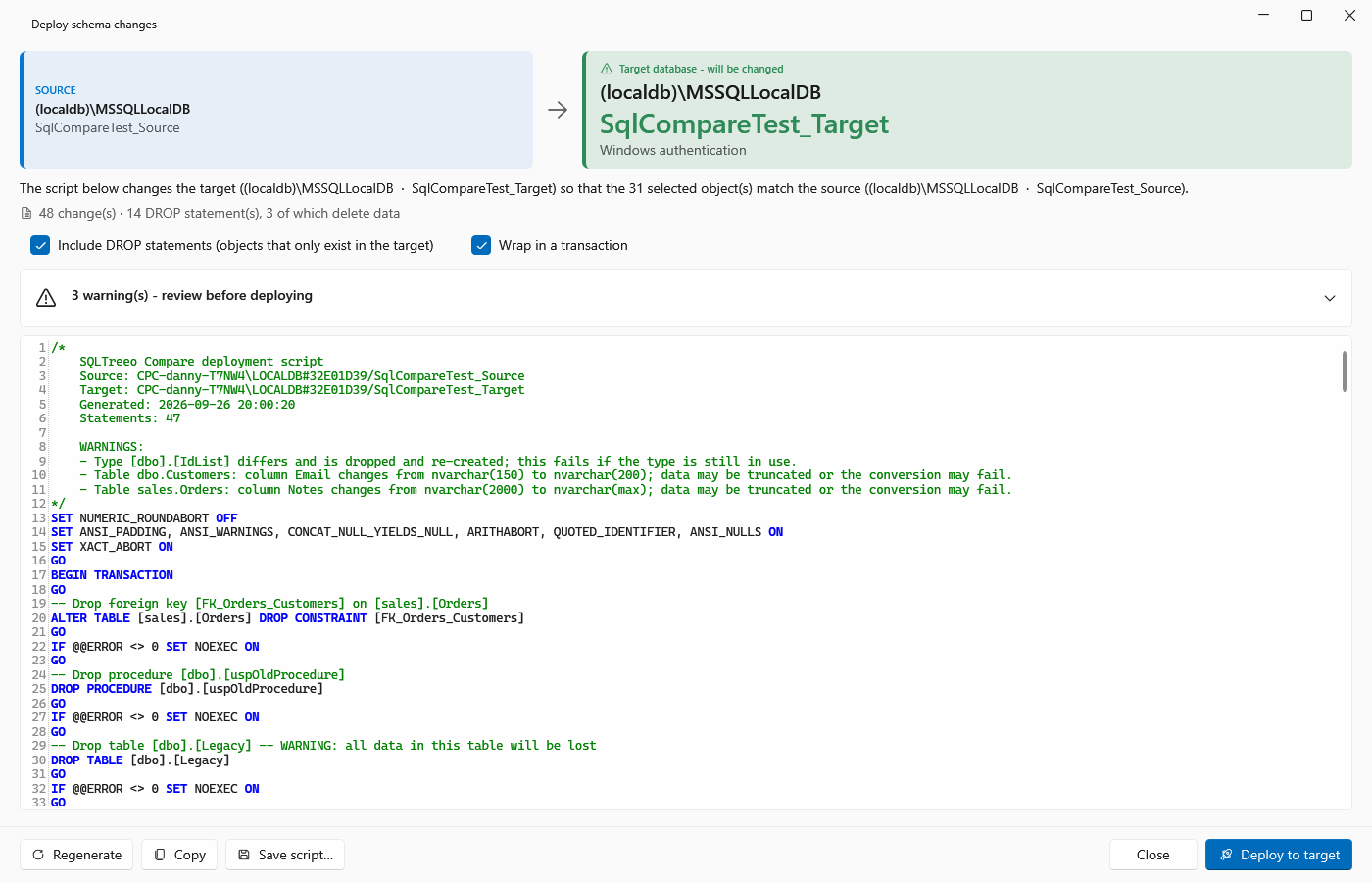
Deploy to target executes the script, by default inside a transaction: when a batch fails, everything is rolled back. Save script… and Copy hand the script to your own change process instead.
Nothing changes in either database until you run the script, and only the target is ever changed.
What is compared
Schemas, tables (columns, indexes and constraints), views, stored procedures, functions, triggers, sequences, synonyms, user-defined types, users, roles, permissions and extended properties.
Under Object types to compare on the project page you can leave types out, for example permissions when the environments have different users on purpose. Under Comparison options, Include schemas and Exclude schemas take schema names, and Include objects and Exclude objects take object names as schema.name or name. * is a wildcard, as in sales.* or *_backup.
Options that prevent false differences
Two databases that were built by different scripts often differ in ways you do not care about. These options decide what counts:
| Option | Default |
|---|---|
| Ignore whitespace in definitions | On |
| Ignore filegroups and data spaces | On |
| Ignore names of system-named constraints | On |
| Ignore current value of sequences | On |
| Ignore case in definitions, Ignore comments | Off |
| Ignore collations | Off |
| Ignore fill factor and index padding, Ignore data compression | Off |
| Ignore column order | Off |
| Ignore identity seed and increment | Off |
| Ignore WITH NOCHECK (not trusted) state | Off |
| Ignore schema owners, Ignore login mapping of users | Off |
A procedure created with CREATE OR ALTER compares equal to the same procedure created with CREATE.
From the command line
The sqlcompare command runs the same comparison without the UI:
sqlcompare schema --source "Server=dev;Database=Shop;Integrated Security=true" --target "Server=test;Database=Shop;Integrated Security=true" --format html --output differences.htmlAdd --script deploy.sql to write the deployment script. The exit code is 0 when the databases are the same, 1 when they differ and 2 on an error. See Detect schema drift in a CI pipeline and the command line reference.
Good to know
- Works with SQL Server 2016 and later, Azure SQL Database and Azure SQL Managed Instance.
- Save the comparison as a project to reopen it with one click, with the same connections, object types and options.
- Comparing and reading the differences and the script are free. Copying, saving and deploying, and exporting reports, work during the 30-day trial or with a license, see Trial and licensing.
- To compare the rows in the tables, see Compare table data between two databases.