

Add Virtual Folders
Create a virtual folder in the SSMS Object Explorer, choose which databases, tables or jobs it shows, and decide who can see it.
Adding Virtual Folders is currently possible at the following nodes:
* Database
* Table
* View
* Synonym
* Stored Procedure
* User defined Function
* Login
* Jobs
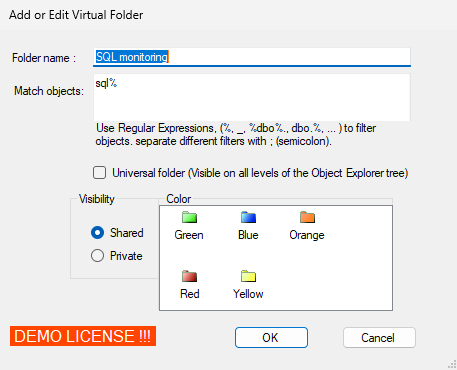
Folder name: Enter the name including special characters
Match objects: Enter the object names (including the schema name) you want to see in this folder. Separate different object names with a ;
Universal Folder: If checked this folder name will appear on all the possible nodes
Visibility: Shared (and if your license permits) other team members can see your virtual folders. Private then they are only visible to you on the computer you create them.