
In development

See what your SQL Server
Agent jobs really do

See which SQL Server Agent jobs overlap, which run longer than normal and what failed, across all your servers.

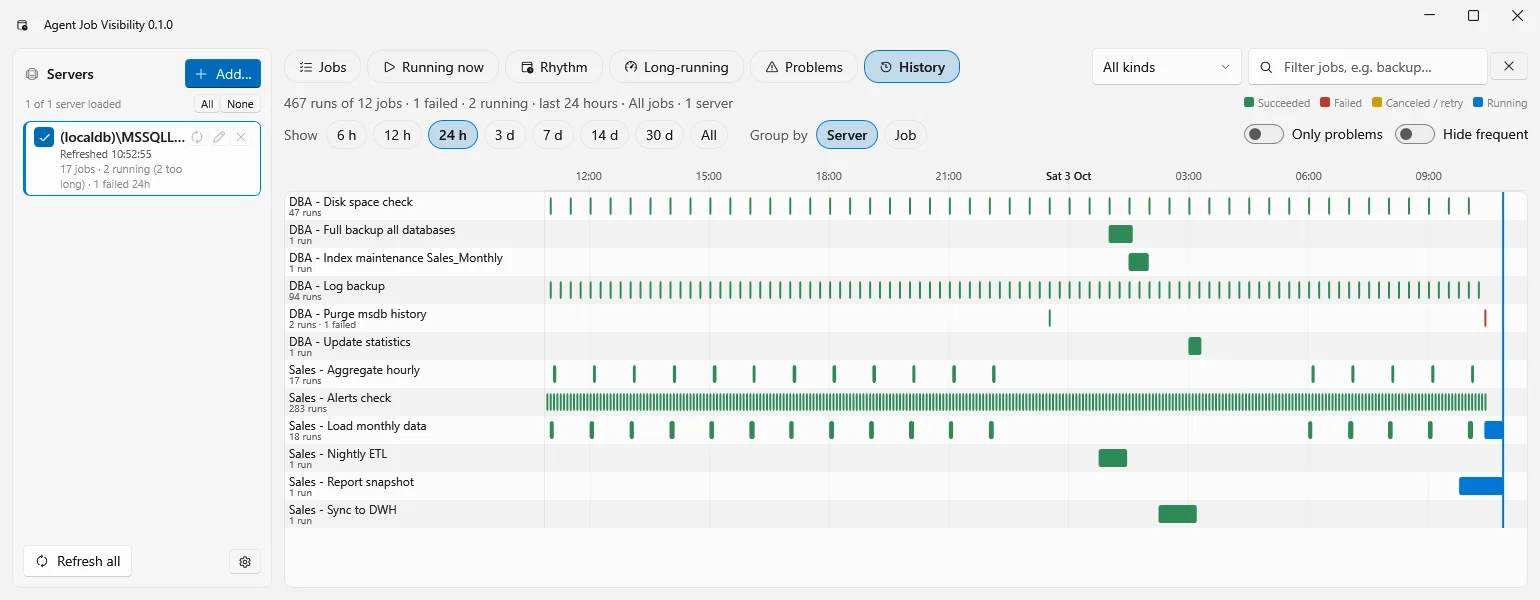
History view: one row per SQL Server Agent job with every run of the last 24 hours as a bar on a timeline

The History view: every run of every job in the last 24 hours, on one timeline. Screenshot of a development build with sample data.

Why

Three things SQL Server Agent does not show you

Job Activity Monitor shows one server and the last run. The history sits in msdb with dates and durations packed into integers. These are the questions that take hours to answer by hand.

Which jobs run at the same time?

Schedules are set one job at a time, so nobody sees them together. Backups, index maintenance and the nightly load end up in the same half hour, and each of them gets slower.

Which job is slower than it used to be?

A fixed threshold of an hour says nothing about a job that normally takes four minutes and now takes twenty. Every job is measured against its own history.

What happened last night?

What ran when, how long it took and how it ended, as a timeline you can read at a glance, with the failing step and its message one click away.

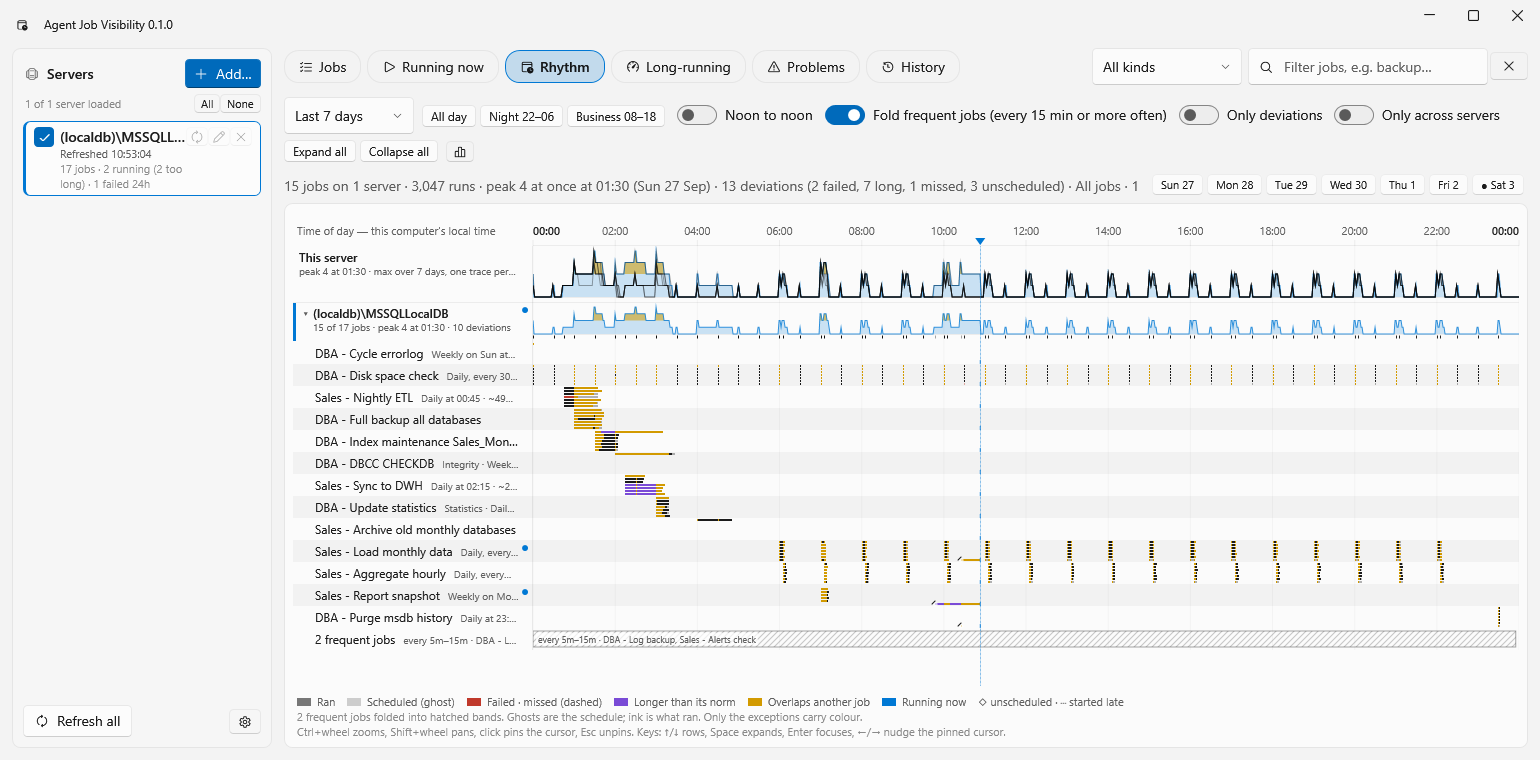
Rhythm view: the 24 hours of a day with the load of all jobs over the last 7 days, and per job where it overlaps another job or ran longer than normal

Rhythm: a week of jobs folded into one day

Seven days of runs laid over one 24-hour axis. The peaks show when the server is busiest and how many jobs run at once. Per job you see the schedule as a ghost and what really ran on top of it.

Only the exceptions carry colour: a run that overlaps another job, one that ran longer than its norm, a failure, a start that was not on the schedule.
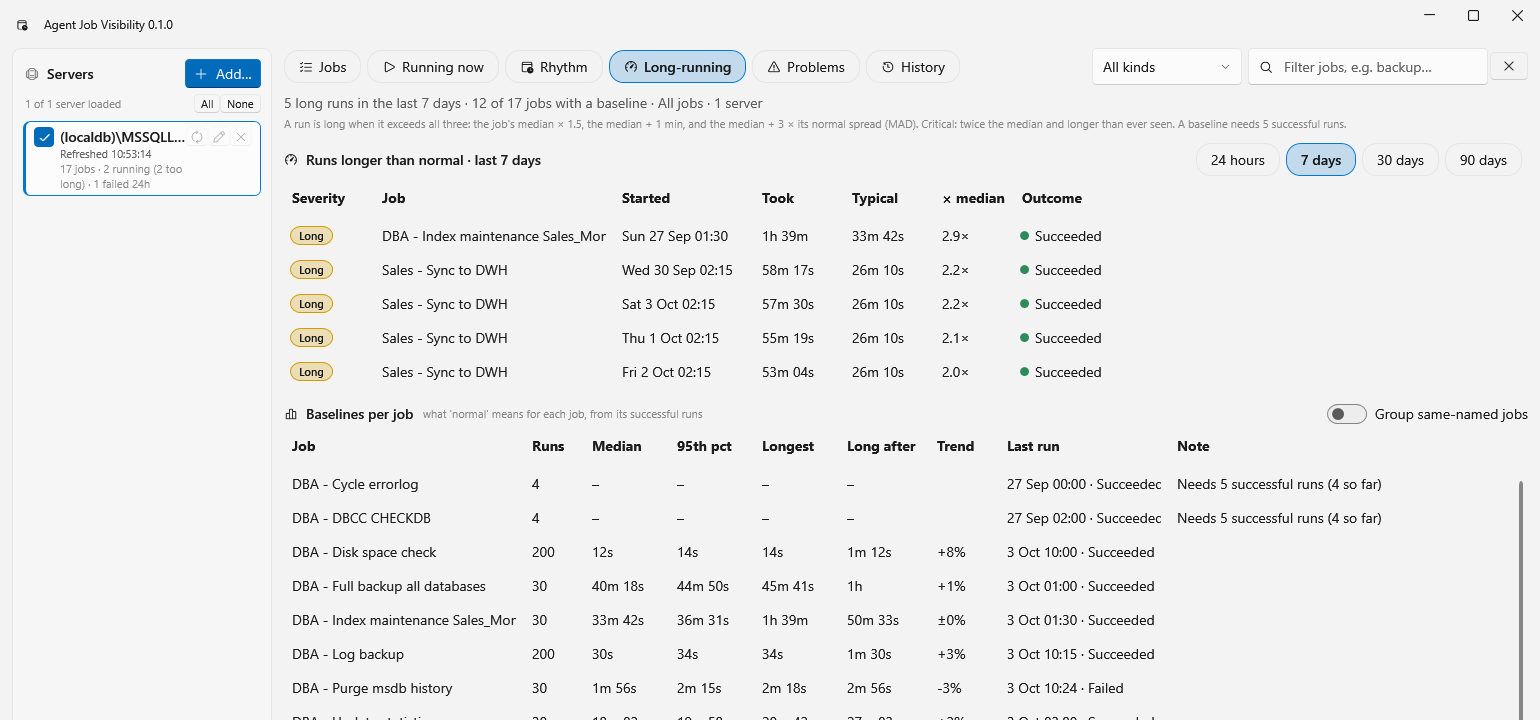
Long-running view: runs that took more than twice their median, and the baseline per job with median, 95th percentile and trend

Long-running, compared with the job's own norm

For every job a baseline from its successful runs: median, 95th percentile, longest run and the trend of the last runs. A run is flagged when it clearly exceeds that norm, and the rule is printed on the page so you can check it.

The same job on several servers can be put side by side, which shows the server where it takes twice as long.

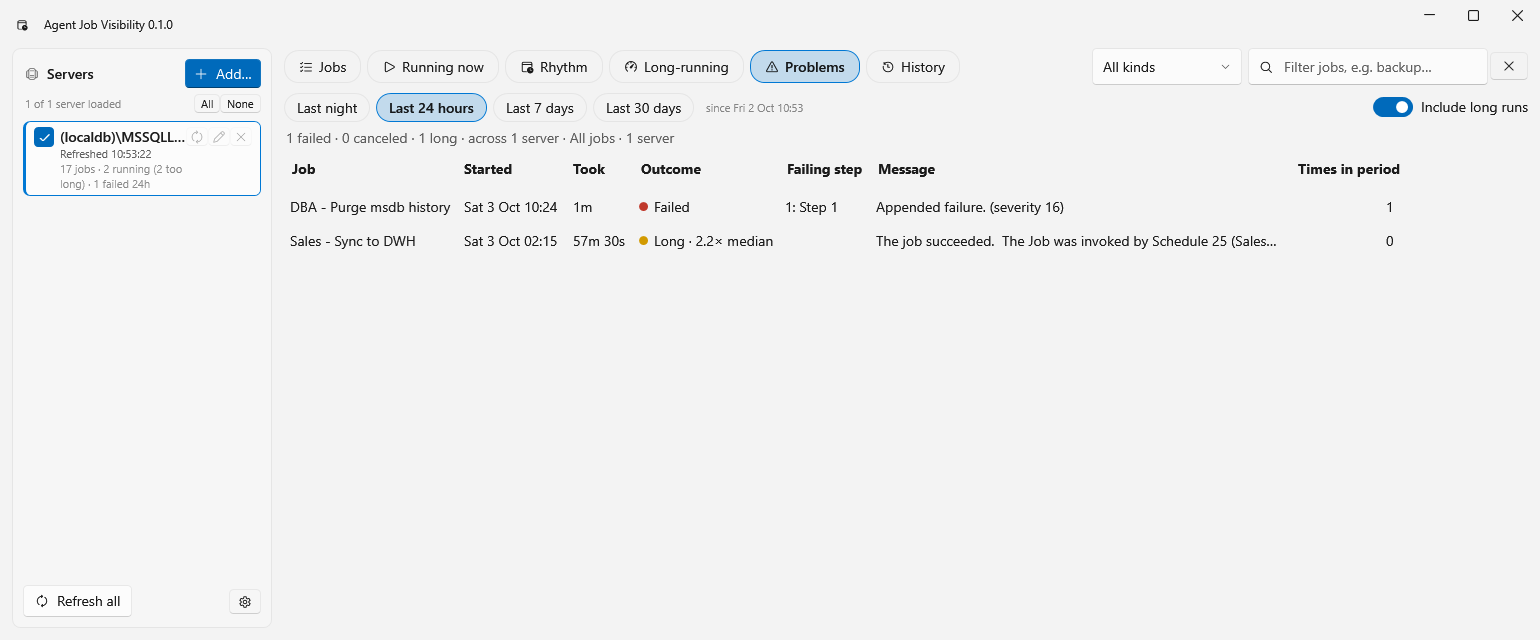
Problems view: failed and long runs of the last 24 hours with the failing step and its message

Problems, with the step that failed

Failed, cancelled and long runs of last night, the last day, week or month. Each row names the failing step and the first line of its message, and counts how often that job had a problem in the period.

Select a row for the full message of every step, ready to copy into a ticket.

Read-only. Agent Job Visibility reads the job tables in msdb and changes nothing: no jobs, no schedules, no objects on your server.
Six views

One workspace for all your servers

Add your servers on the left, tick the ones you want to see, and every view shows them together with one shared filter.

Jobs

What is defined where: schedule in plain words, next run, last run and its outcome, typical duration.

Running now

What is executing across the estate, for how long, and whether that is normal for that job.

Rhythm

The folded 24-hour picture of schedules and real runs, with the collisions and the busy periods.

Long-running

Runs that exceeded the job's own norm, and the baseline behind that verdict.

Problems

Failures with the failing step and message, for last night or the last 30 days.

History

The timeline of every run, grouped by server or by job, from 6 hours to everything msdb still holds.

Good to know

Where it stands

Windows desktop application

Same look and handling as SQLTreeo Compare, including saved connections with Windows, SQL Server and Microsoft Entra ID authentication.

Availability groups

Designed for Always On, including contained availability groups where the jobs live inside the group. This part is still being tested against real groups.

Permissions

Read access to the job tables in msdb (db_datareader in msdb) is enough. Nothing is installed on the server.

Want to try it first?

Agent Job Visibility is in development. There is no download yet, and the price is not set. Leave your address and you get one message when the first version is available.